User Management - Secure Roles & Access Control | DataParQ
All rights reserved

Control Access, Enable Collaboration

Control user access across the platform with centralised role and permission management. Assign roles, define access levels, and collaborate securely across data assets.

Centralised Control, Granular Permissions

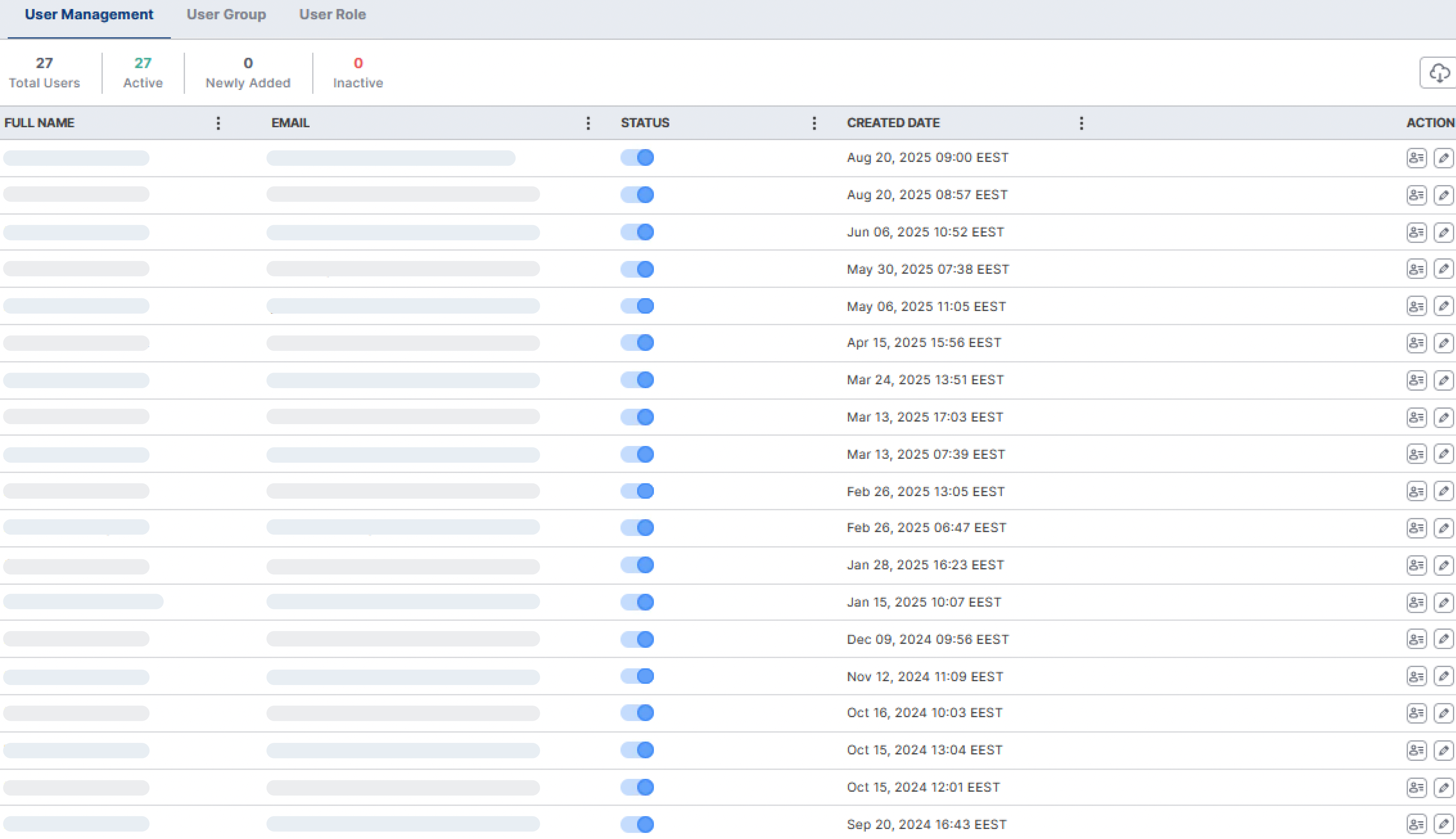
The User Management Module in DataParQ provides a centralised interface for managing users, roles, and groups. It is designed to help administrators control access and permissions to DataParQ modules.

User Management

This section allows administrators to view, manage, and update user profiles. Displays user details including full name, email, status, creation date, and actions. Easily activate or deactivate users. Edit user details, reset passwords, or remove users. Preview user actions log. Quickly onboard users by adding their details.

User Groups

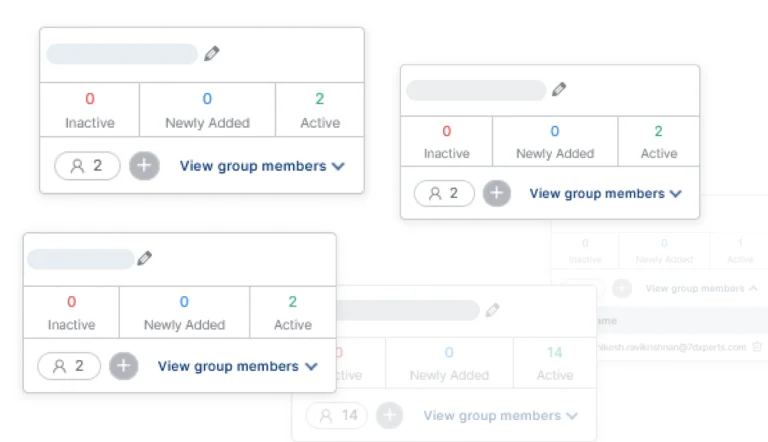
User Groups allow administrators to organise users into logical teams or departments for easier management and role assignment. View number of active, inactive, and newly added users. Add or remove users from groups. Download an Excel file with all the details.

User Roles

Roles define access levels to various modules and actions across the platform. Assign roles to groups. Define read and write permissions for each module per role. Granular control of module-level access.

Granular Control, Effortless Management

Explore the powerful features that make user management in DataParQ intuitive and secure.

Role-Based Access Control
Group Management
Resources Permissions
Role-Based Access Control (RBAC)

Assign roles to individuals or user groups. Define read/write permissions per platform module. Use a visual matrix to review access at a glance. Apply granular control over module access.

Group Management

Assign roles to individuals or user groups. Define read/write permissions per platform module. Use a visual matrix to review access at a glance. Apply granular control over module access.

Resources Permissions

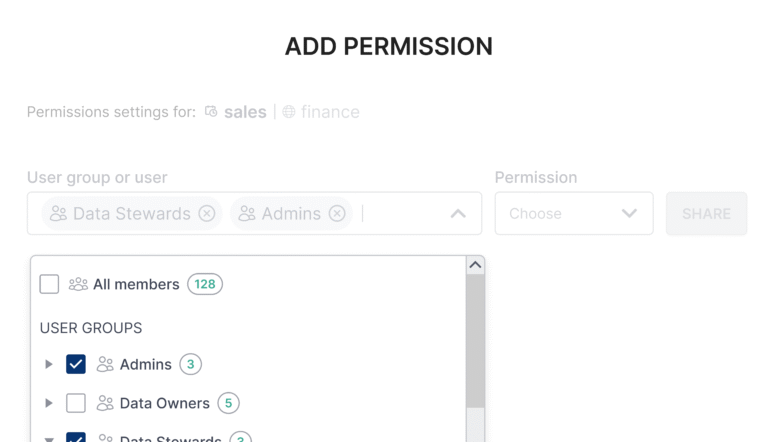
Assign roles to individuals or user groups. Define read/write permissions per platform module. Use a visual matrix to review access at a glance. Apply granular control over module access.

Stop coding, start analysing
Experience engineering-level data analysis, all in one place.